Online booking
Customers pick a service and a time on your site, day or night, and the booking lands in your calendar straight away. If you already use Fresha or another booking system, we connect it rather than replace it.
Online booking
Halfpenny Booking comes with every plan. Customers book on your website at any hour, the booking lands in your diary straight away, and the reminders go out on their own. It can also be connected to AI assistants such as ChatGPT and Claude, so customers can book with you from a chat. There is no second subscription and no commission on each booking.
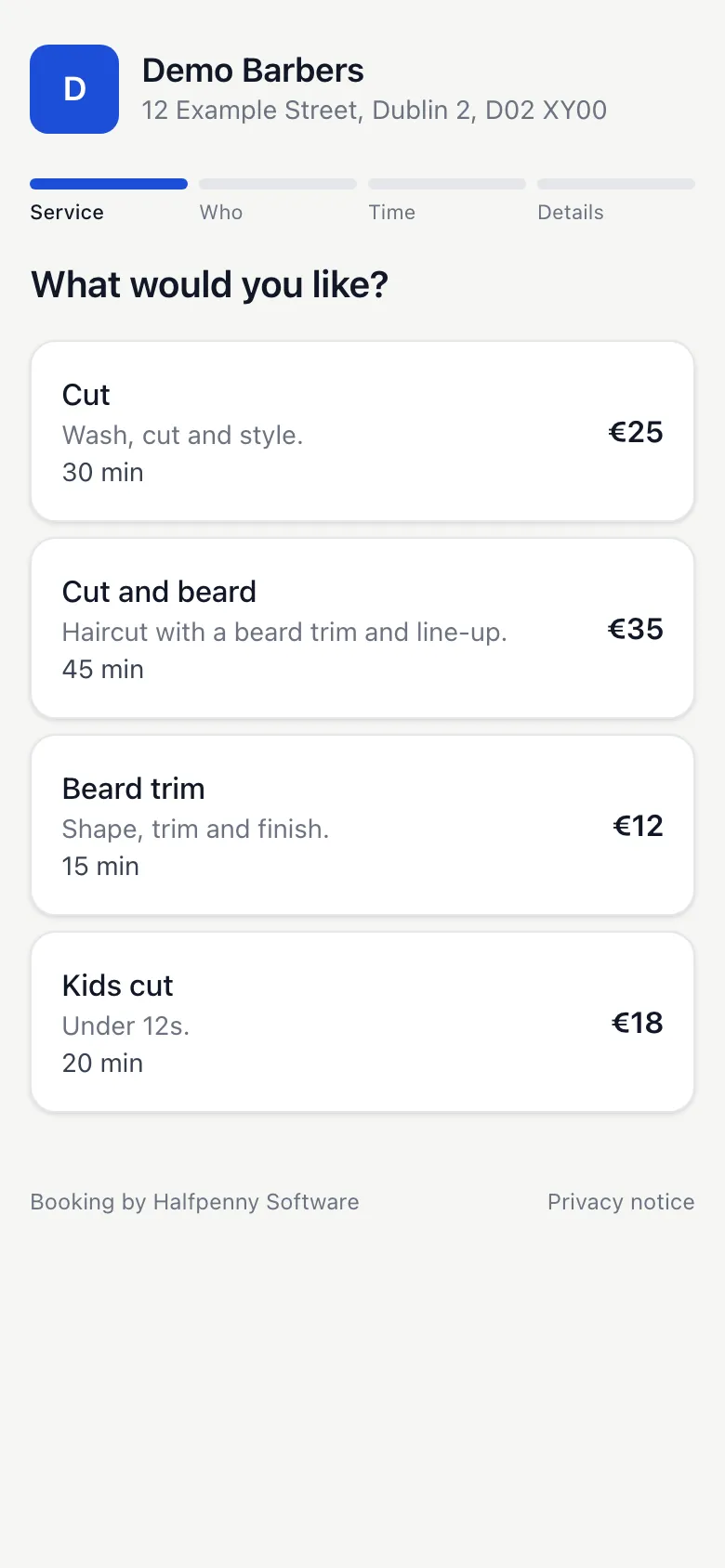
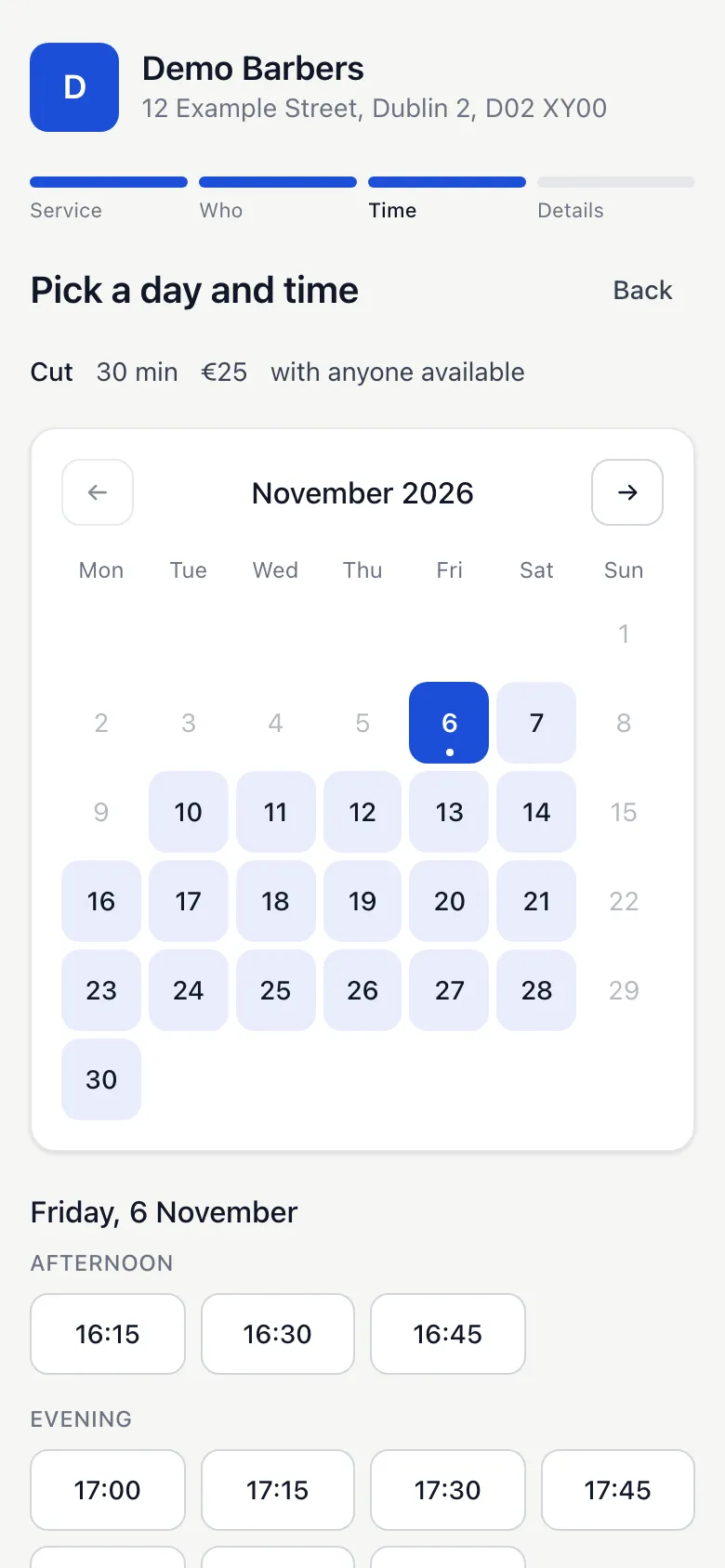
Nothing to install and no account to make. They pick a service, a person if they have a preference, and a time. A name and a phone number is all we ask for. An email address is optional, and it is what the confirmation and the reminder go to.
The diary is a website that behaves like an app. Open app.halfpenny.ie on any phone, tablet or computer, add it to your home screen, and you stay logged in for as long as you keep using it. Each person on your team can have their own login and see their own day.
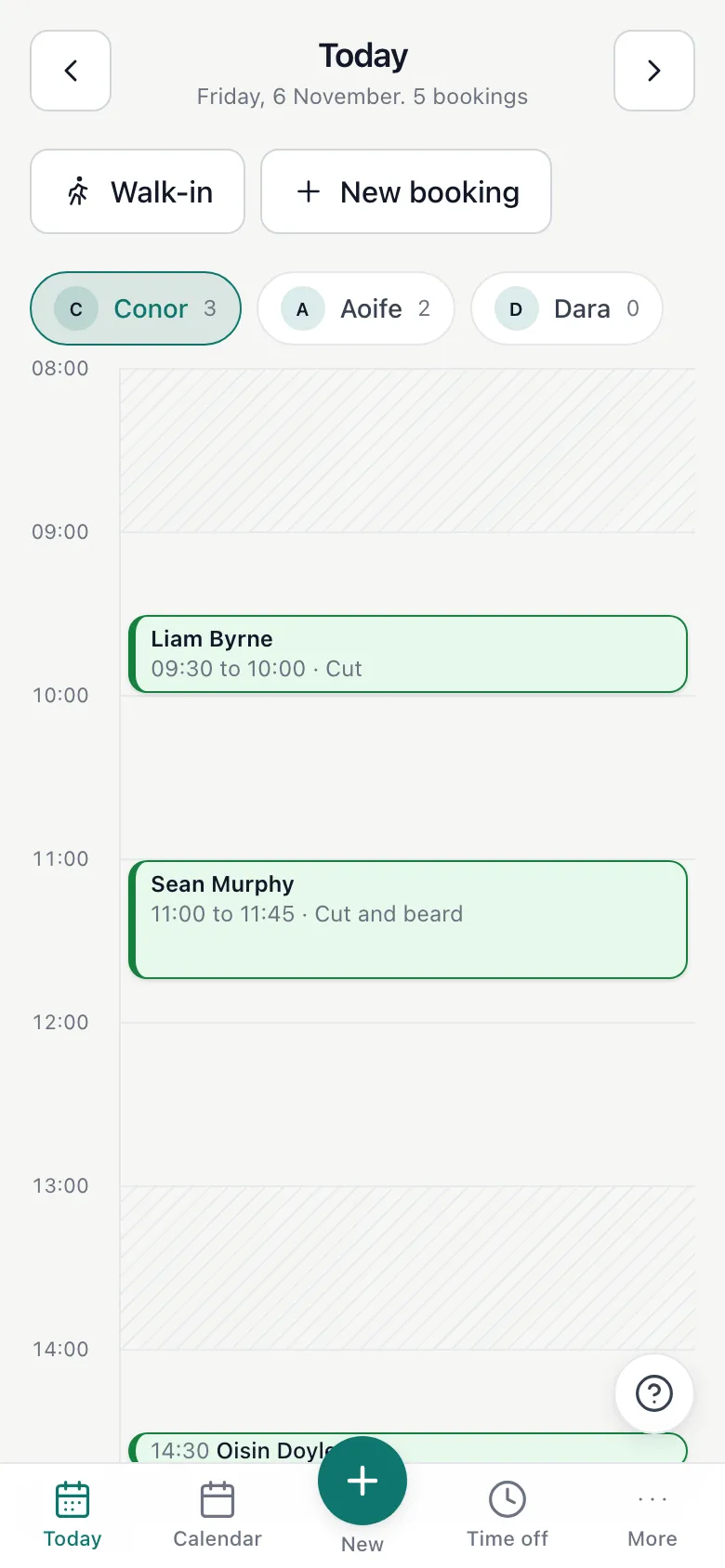
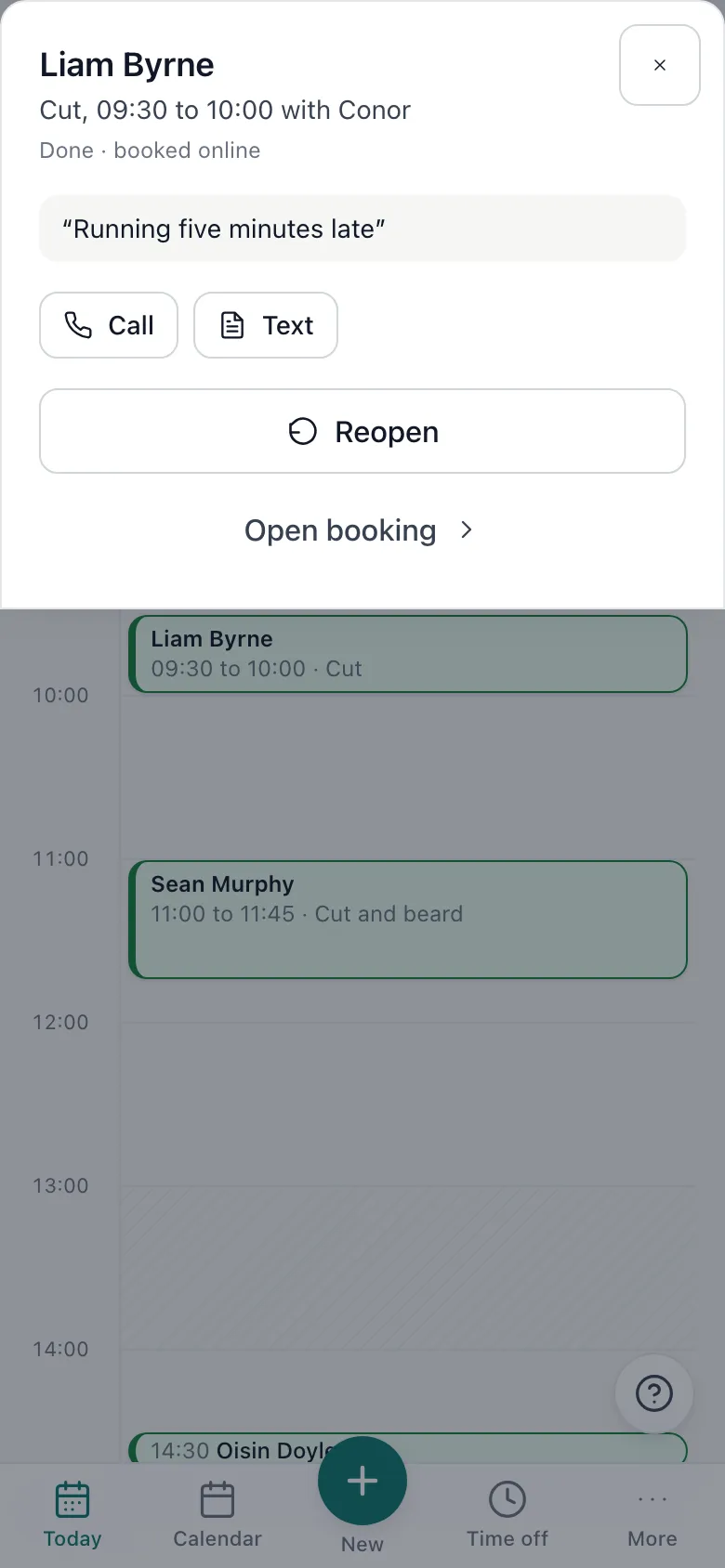
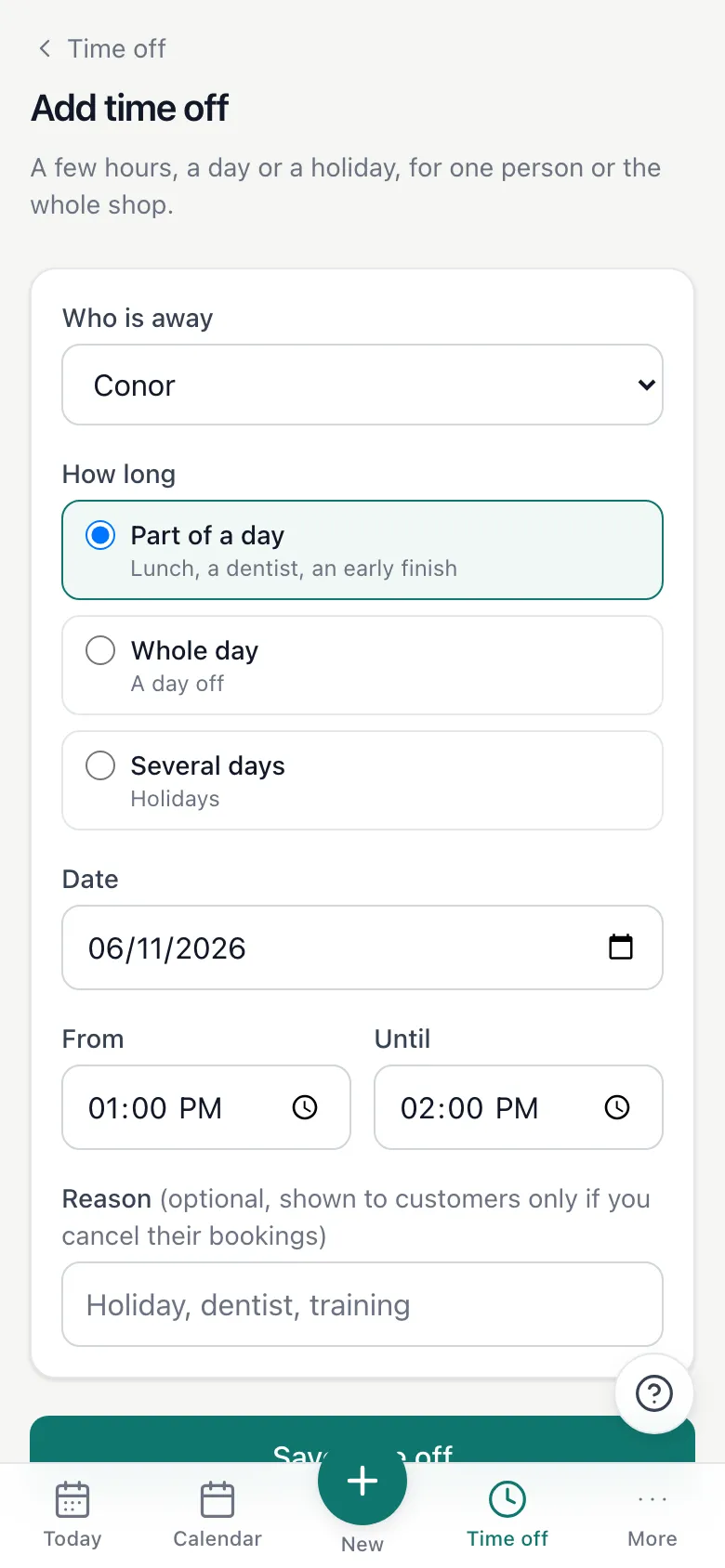
The whole thing is built to be learned in an afternoon. These are the six things a shop does most. Every screen in the app has a ? in the corner that opens the full guide for that screen.
On Today, tap the free time under the right person.
Choose the service.
Start typing the client's name or number and tap them, or type a new name.
Tap Add booking. If you added an email address, they get a confirmation.
On Today, tap Walk-in.
Tap the service and who is taking them.
Leave the name blank if you like. It starts right now and the diary shows that person is busy.
Tap the booking, then Move.
Change the person, the date or the time.
Leave Email the customer ticked and tap Move booking. They get the new time by email.
On a computer, just drag the card to the new slot.
Tap the booking, then Cancel.
Add a note for the customer if you want to, for example that you are out sick.
Leave the email ticked and they get your note and a link to book another time.
Tapped the wrong one? Undo is at the bottom of the screen for a few seconds.
Tap Time off and choose who is away.
Pick part of a day, a whole day or several days.
If bookings are in the way, choose to cancel them all, which emails every customer, or keep them and move each one yourself.
Those times disappear from your booking page straight away.
Your page lives at book.halfpenny.ie followed by your shop's name. It is also behind the Book now button on your website.
Put the link in your Instagram bio and on your Google Business Profile.
Save it as a WhatsApp quick reply for the people who message to ask.
Print it as a QR code for the counter and the window.
Every email is sent in your shop's name, and when a customer replies it lands in your inbox, not ours. There is no tracking in them and no marketing.
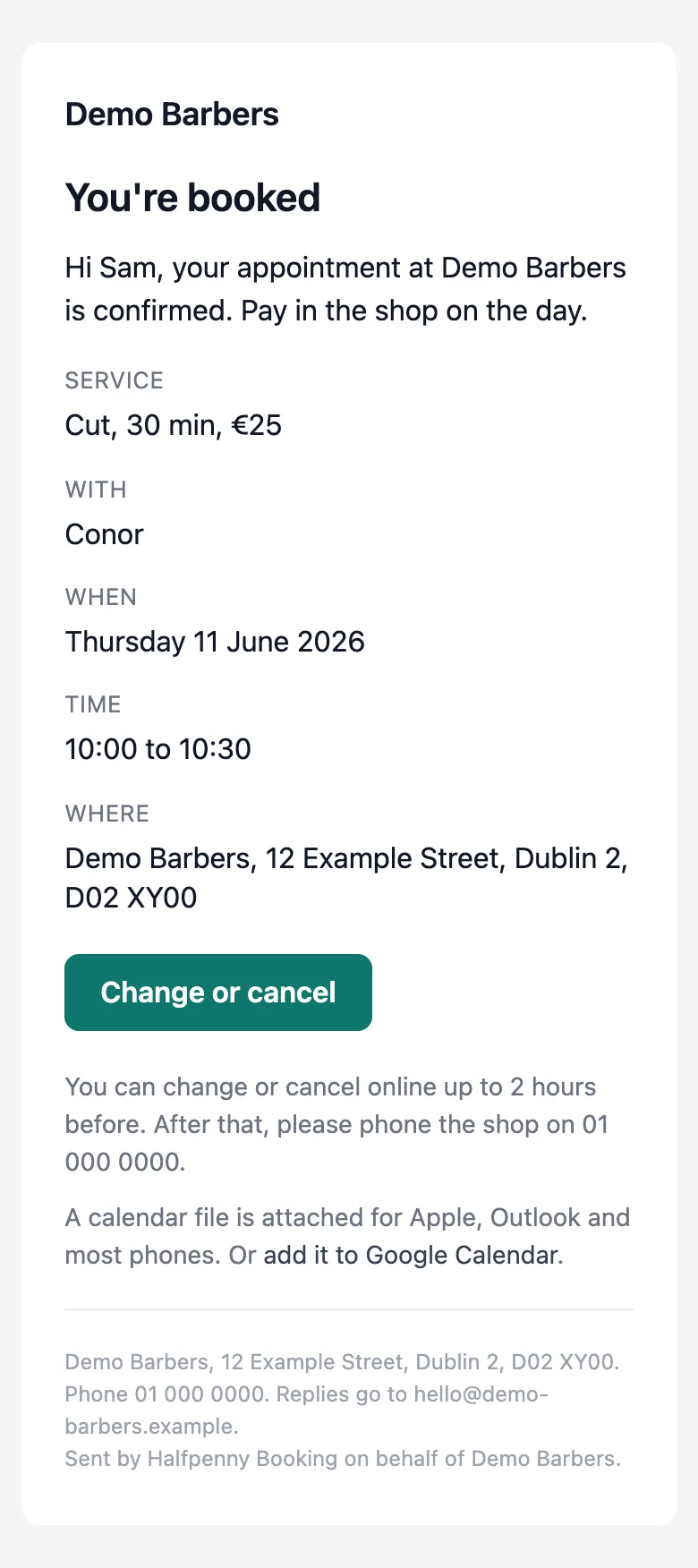
Sent the moment they book, with a calendar file, a Google Calendar link, and a Change or cancel link.
Sent the day before, so fewer people forget.
If you move a booking, they get the new time.
If you cancel, they get your note and a button to book another time.
Who, what and when, with a link straight into the booking.
So nobody turns up to an empty chair.
At 07:30 each morning, the day's bookings in one email.
A few settings decide what your booking page offers. We set them up with you, and you can change them any time from Settings.
How close to the time someone can still book online, for example two hours.
How many weeks ahead your booking page shows.
Whether times are offered every 15, 30 or 60 minutes.
How late a customer can change or cancel online before they have to phone you.
More people now ask an assistant such as ChatGPT or Claude to sort out their appointments. Your booking system can be connected to those assistants through MCP, a standard way for one piece of software to ask another a question, such as whether you have a free slot on Saturday. Every shop gets its own address for this, next to its booking link.
An assistant sees exactly what your booking page shows, nothing more: your services, your staff and your free times. It makes the booking, the customer gets the usual confirmation, and it lands in your diary like any other.
With a private key from your Settings, your own assistant can read your diary, find clients and add, move or cancel bookings when you ask it to. Keys can be revoked at any time.
Online booking is part of your website, not a separate product with its own bill. Here is what is in each plan. Already on Fresha or another booking system? We connect to it rather than replace it.
Customers pick a service and a time on your site, day or night, and the booking lands in your calendar straight away. If you already use Fresha or another booking system, we connect it rather than replace it.
Every booking sends the customer a confirmation email straight away and a reminder before their appointment. Fewer forgotten appointments, fewer no-shows, and no diary chasing on your part.
Your day's bookings are on your phone. Add a walk-in, close for a week in the summer or shut for a bank holiday, and your website and your calendar stay in step. It takes seconds.
Every staff member can have their own working hours, services and time off. Customers pick who they want to see, and only that person's free times are offered.
You can ask for a deposit when the customer books, so longer appointments are held with real money. Popular with tattoo and piercing studios and anywhere a no-show costs an hour or more of the day.
Take card payments, Apple Pay and Google Pay on your site. Payments settle to your own account, not ours.